


Users located in the European Union (EU) and the European Economic Area (EEA) are required to complete KYC verification* to access and use SageMaster. This guide explains how to complete the verification process.
Before you start
Make sure you have:
- A valid identity document (passport or national ID card)
- Accurate personal information
- A stable internet connection
How to complete KYC for NEW users
- After the first login, you can see the verification status page
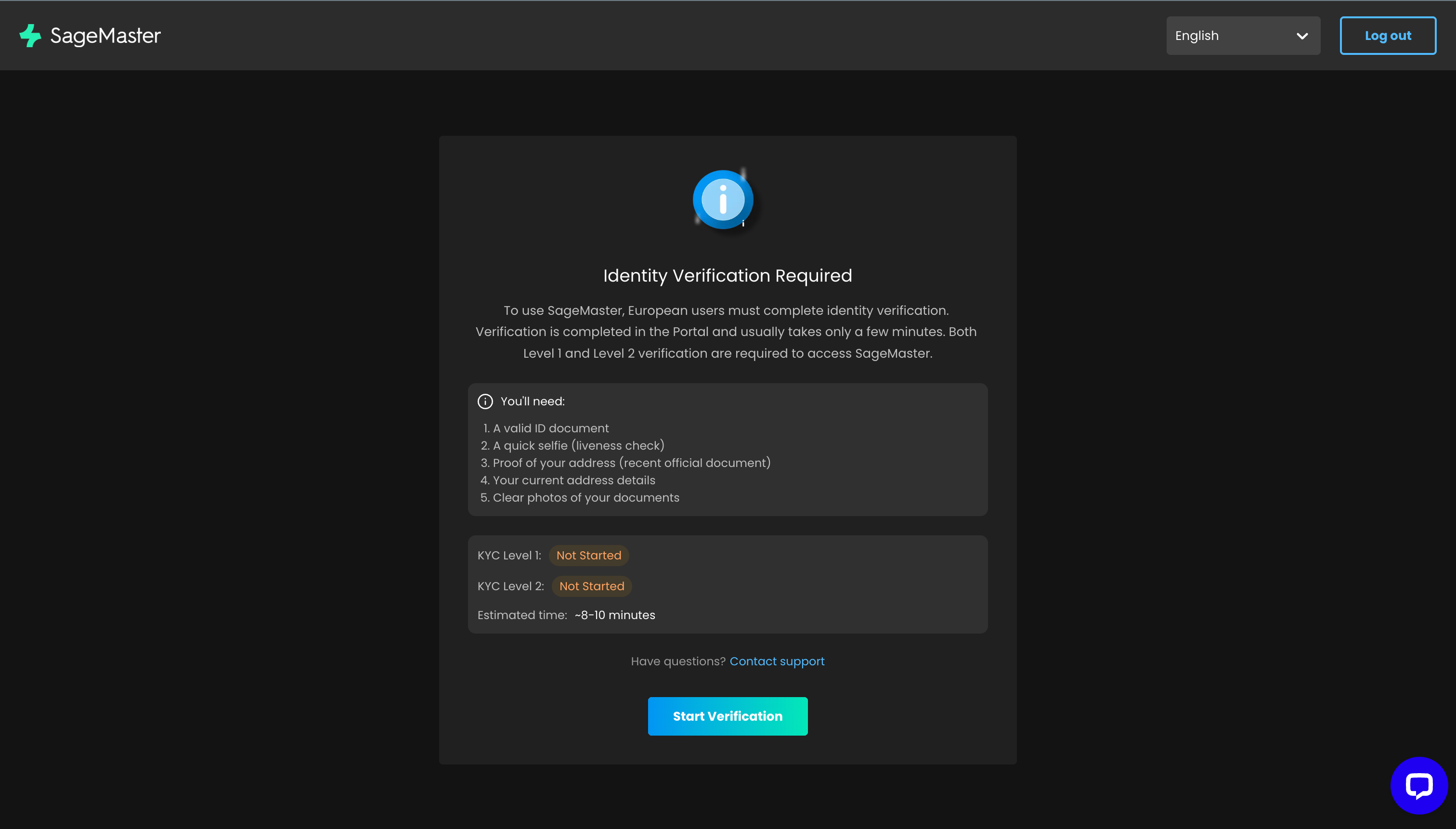
- Click Start verification if one of the statuses is Not started or Failed
- Upload your identity document
- Complete the verification process
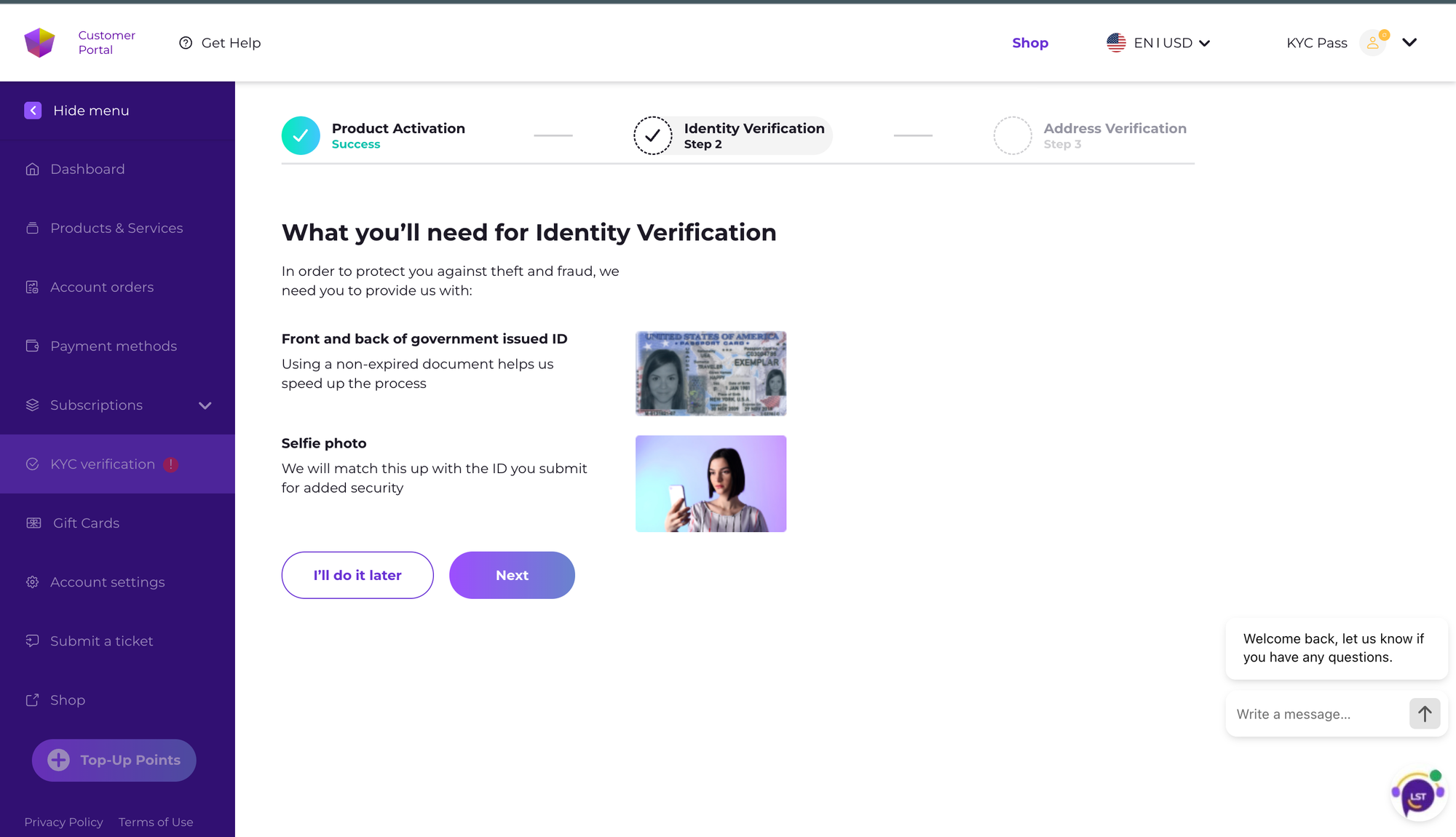
- After your verification is completed, you will have full access to the Platform
How to complete KYC for existing users
Directly start verification on the Shop-Portal or:
- Go to the Dashboard page
- On the Banner, you can check your status
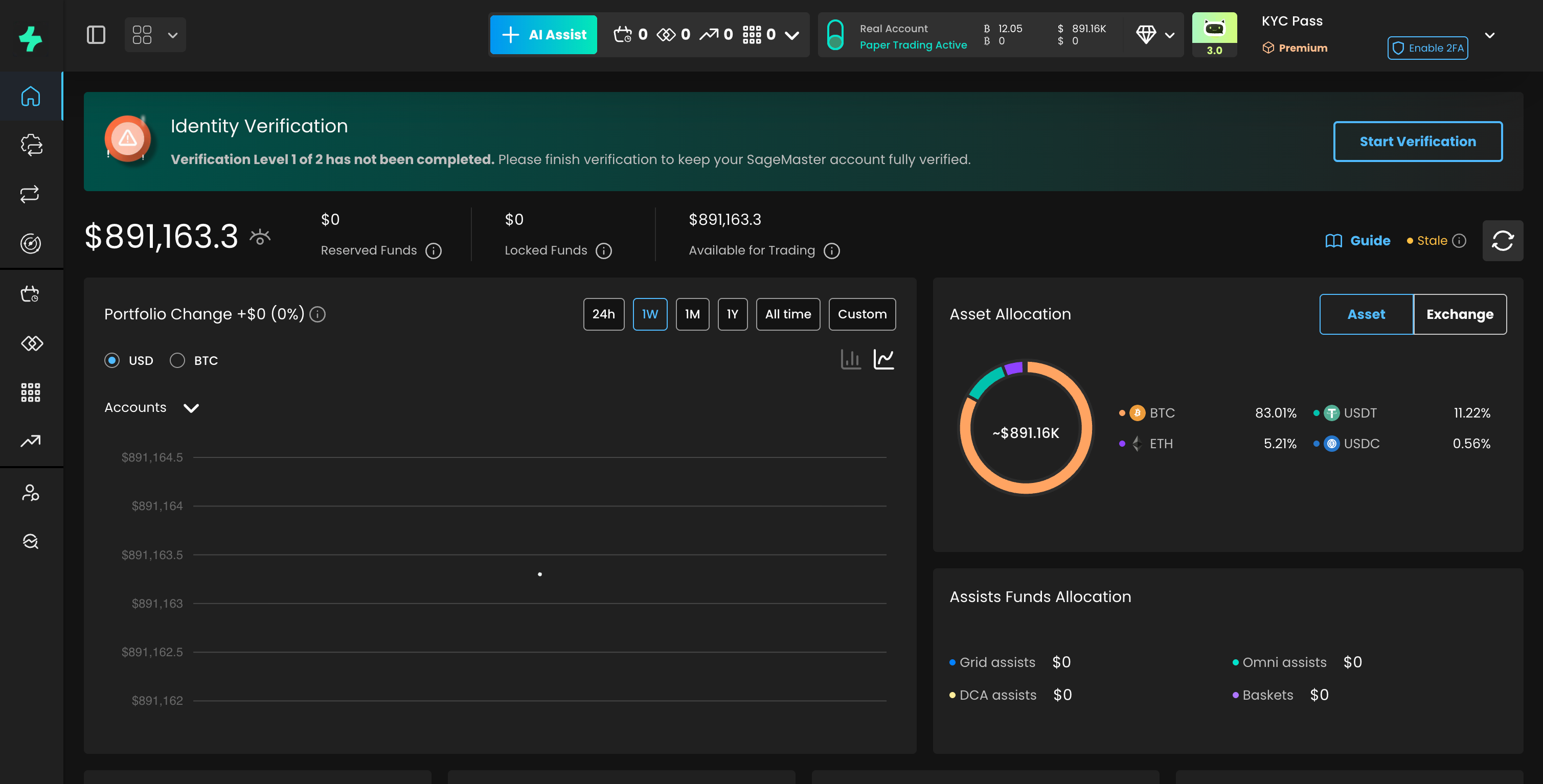
- Click “Start verification”
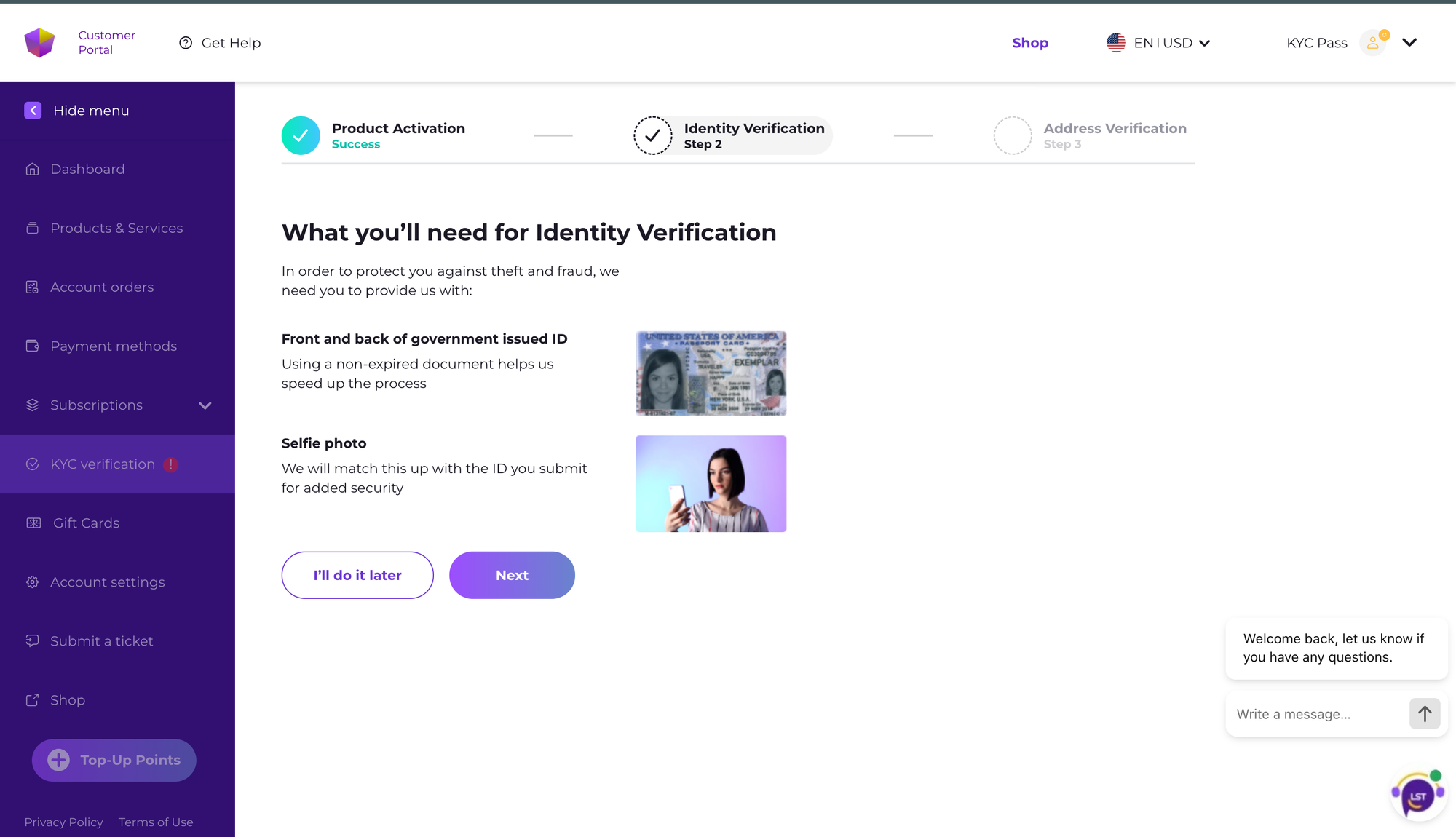
- Click the “Refresh status” button if you are waiting for the result

- After verification is successful, you will see the banner with the message
Verification statuses
After submitting your verification, you may see one of the following statuses:
- Not started — verification has not been initiated
- Pending — verification is under review
- Verified — verification completed successfully
- Failed — verification unsuccessful, resubmission required
How long does verification take?
Verification is usually completed within a short time, but may take longer depending on processing volume.
Troubleshooting
Verification is stuck on “Pending.”
- Processing times may vary
- Do not submit multiple requests
- Contact support if the delay is prolonged
Verification failed
- Ensure your document is valid and not expired
- Check the message with the error on the Portal
- Upload clear and complete images
- Retry the verification process
Cannot start verification
- Refresh the page
- Log out and log back in
- Try a different browser
If the issue persists, contact support.
What happens if I don’t complete KYC?
- You will not be able to access the platform (new users)
When will I need to perform my KYC check?
The KYC check process is being conducted in batches. You will receive a banner notification at the top of the web interface when it’s time for you to complete the KYC check.
Why Was My KYC Verification Rejected?
Here are the most common reasons and how to fix them:
Blurry or unreadable ID - Upload a clearer image of your document.
Mismatched information - Ensure the name and details match exactly as shown on your ID.
Expired ID - Upload a valid, non-expired document.
Poor lighting in selfie check - Ensure good lighting, no obstructions, and follow on-screen prompts correctly.
Can I retry KYC verification after a failed attempt?
Yes, you can retry verification after correcting these issues.
How long does KYC approval or rejection usually take?
8-20mins
If it will take more time, please contact our support team
What happens if I don’t complete KYC by the deadline?
Some of the features can be limited for you
What if I started KYC a long time ago and didn’t finish?
If your KYC application was started a long time ago and you didn’t provide the required/missing documents, it may expire/be declined.
Should start verification proccess again
Need Help or have any questions?
- If you experience any issues with the KYC process, contact the support team: support@sagemaster.io
Never share personal information, such as your government-issued ID, through Sagemaster support channels (e.g. Email, Chat, Telegram group).
